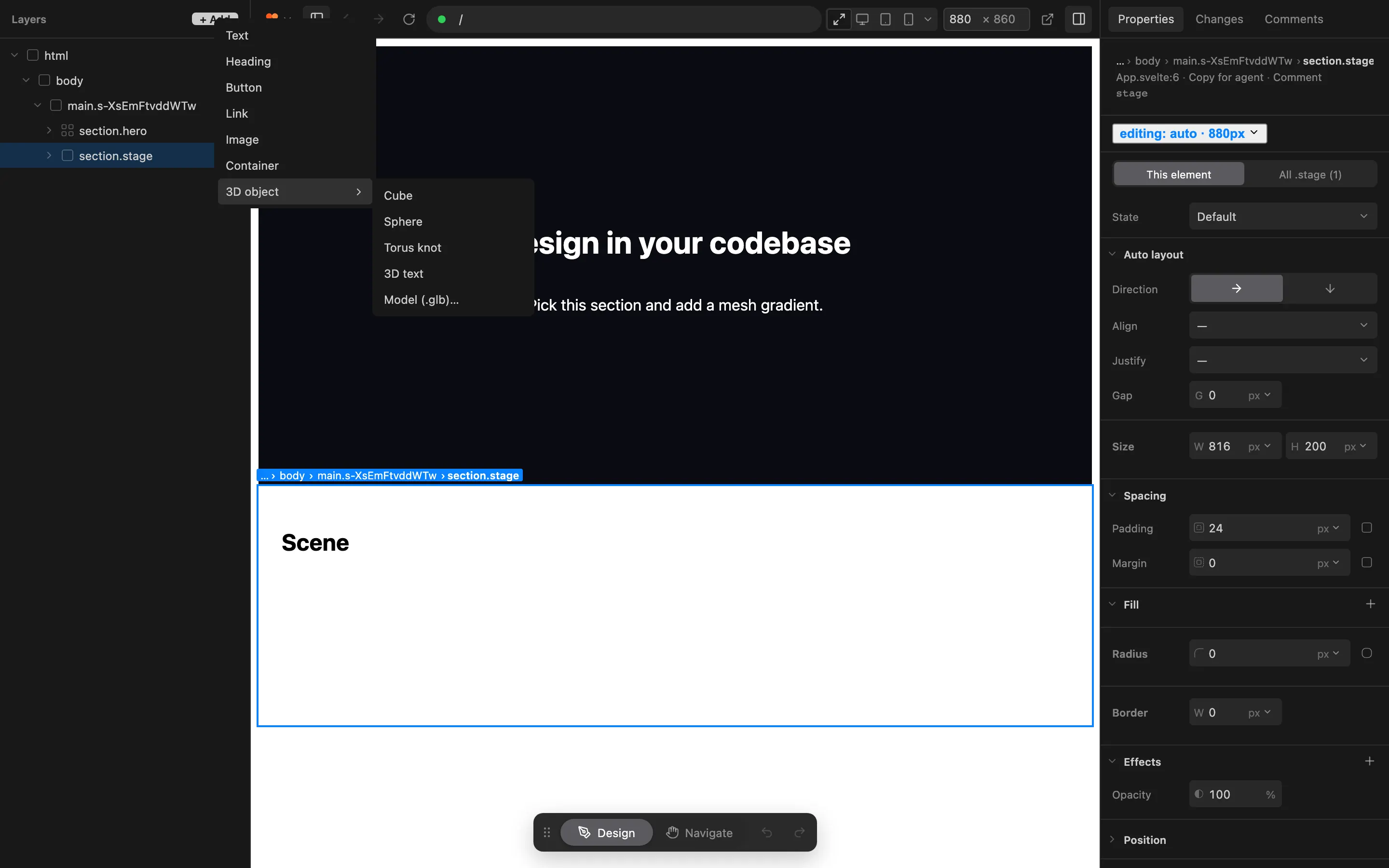
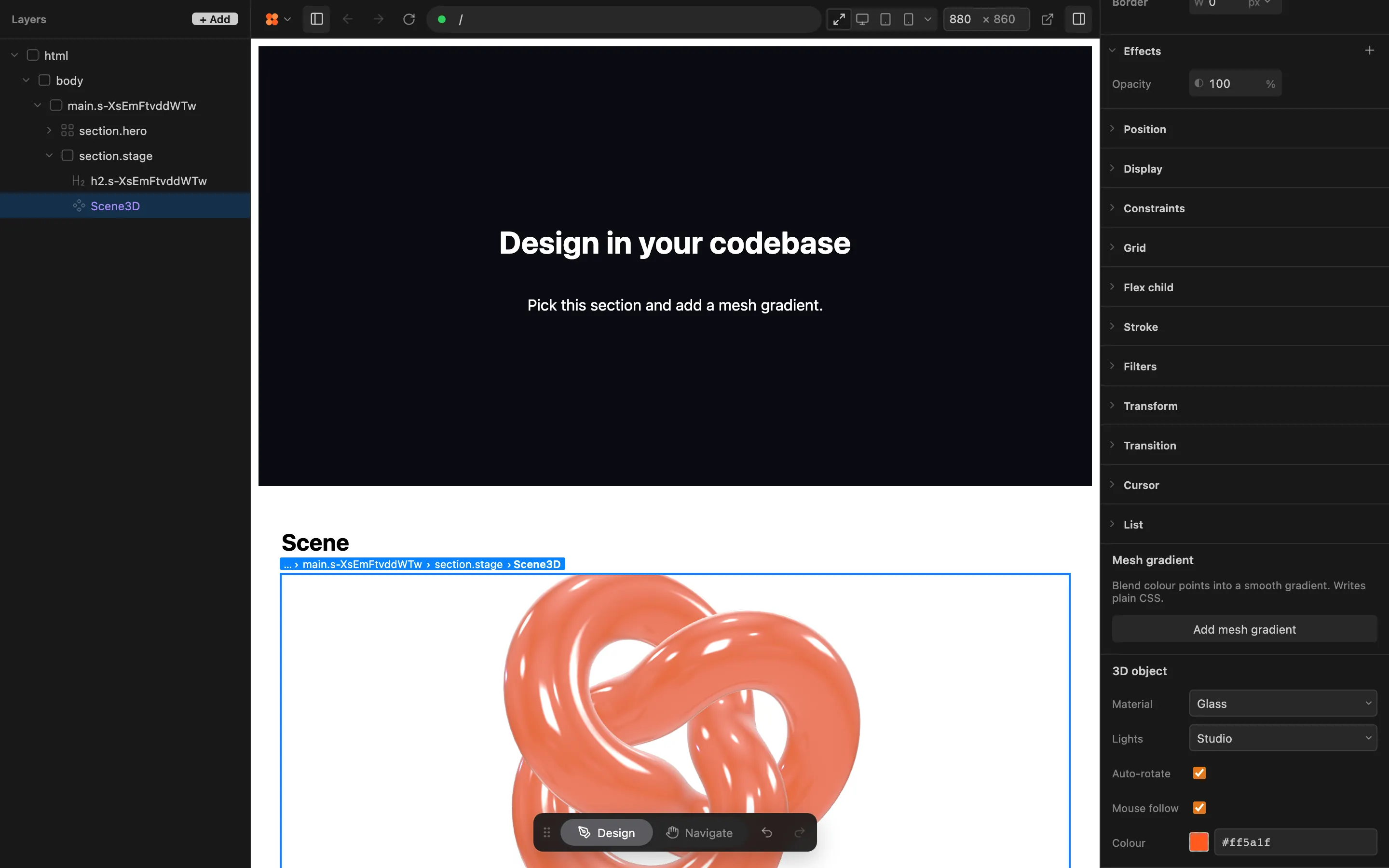
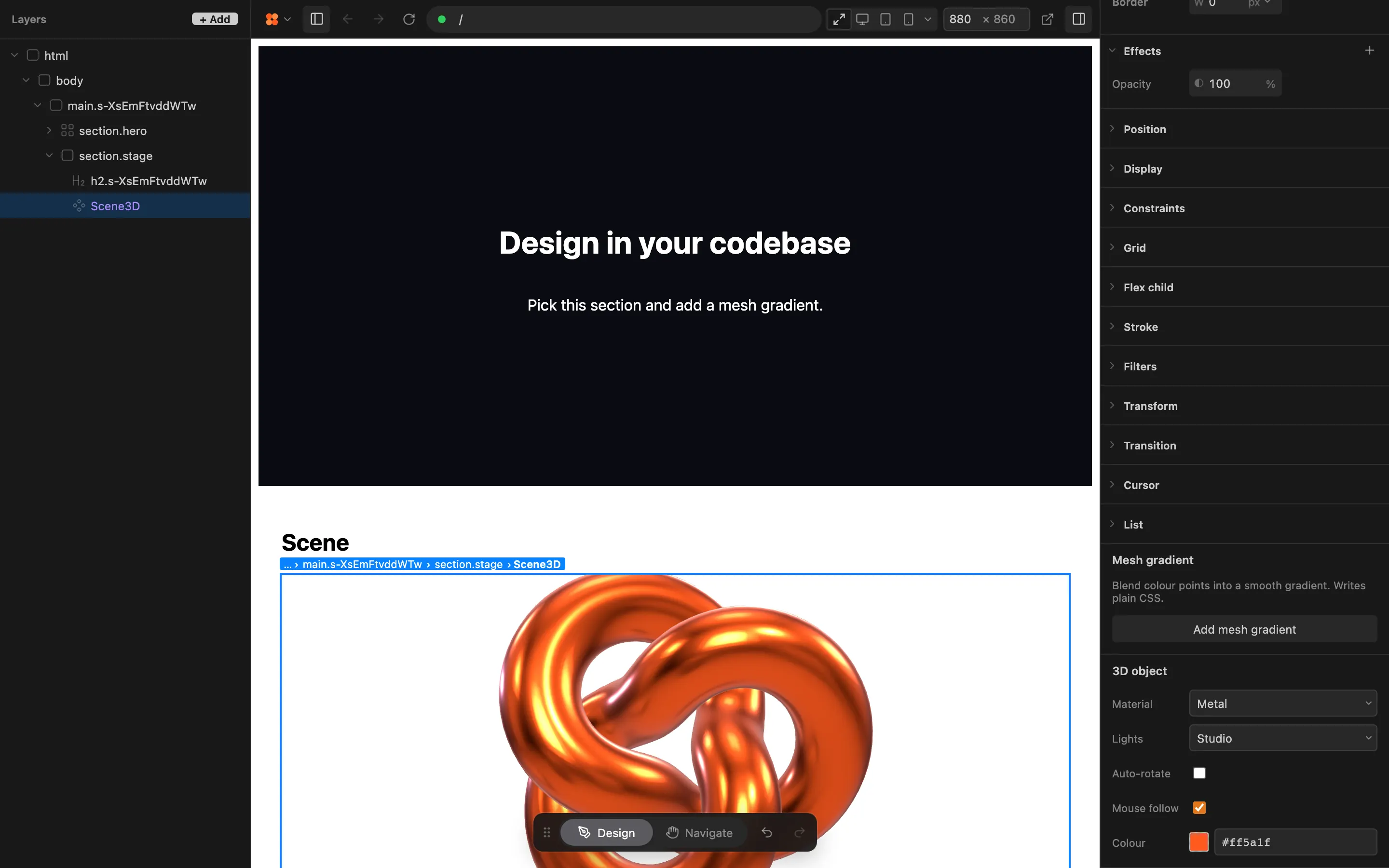
3D object
Add a cube, sphere, torus knot, 3D text or your own .glb model to the selected element. Feega writes a small scene component and the three.js code into your project, adds the dependency, and lets you change material, lights, rotation and colour from the right bar. Everything is one undoable step you can review in Changes.
open in feegawhat it can do
- See which element you have selected
- Read your project framework and folder layout
- Insert new elements into your code
- Change attributes on your elements
- Add packages to your package.json
- Copy files into your project
- Ask you to pick a file
screenshots