Feega in VSCodium: an open-source visual editor in an open-source editor
By Andrea Buttarelli, founder of Feega · checked 19 november 2026 · how we checked
the short version
VSCodium installs Feega from Open VSX, its default extension registry, and Feega runs there unchanged: click any element of your running app, edit it in a Figma-style panel, and the change is written to your source file.
install from open VSX
VSCodium is built from the VS Code source without Microsoft's branding, telemetry or licence, and it can't use the Visual Studio Marketplace. Its default registry is Open VSX, run by the Eclipse Foundation. Feega is published there as AndreaButtarelli/feega, so the Extensions view in VSCodium finds it with a search for Feega.
For machines without network access, download the .vsix file from the Open VSX page and install it with codium --install-extension followed by the file name, or with "Install from VSIX" in the Extensions view menu. The extension works offline once installed.
Feega needs the VS Code 1.90 extension API or newer, which current VSCodium releases provide, and Node 18 or newer for your project.
why the pairing makes sense
People choose VSCodium to keep their editor free of things they didn't ask for. Feega fits that. The licence is Apache-2.0 and the code is on GitHub. There's no account, and your code stays on your machine. It doesn't call an AI model either: every edit is a fixed mapping from a panel control to a class or a CSS rule, in code you can read.
Feega does have one network feature: anonymous usage counts (how often it opens, how many edits, which framework and styling system), without code or file paths. They follow the editor's telemetry setting as well as Feega's own feegaInspect.telemetry. VSCodium turns telemetry off by default, so on a default install the counts are off too. Set feegaInspect.telemetry to false if you want to be sure.
The dev server Feega starts is your own project's server, bound to the local loopback address on a free port. The preview panel loads it from there. Nothing about your app goes through a Feega server, because there isn't one: the extension is the whole product, and Feega Cloud, when it comes, will be a separate and optional thing.
what you get after install
Run Feega: Open from current workspace, or right-click a folder or a page file and choose the Feega item. Feega works out the framework from package.json, installs missing dependencies if you let it, starts the dev server and opens the app beside your code.
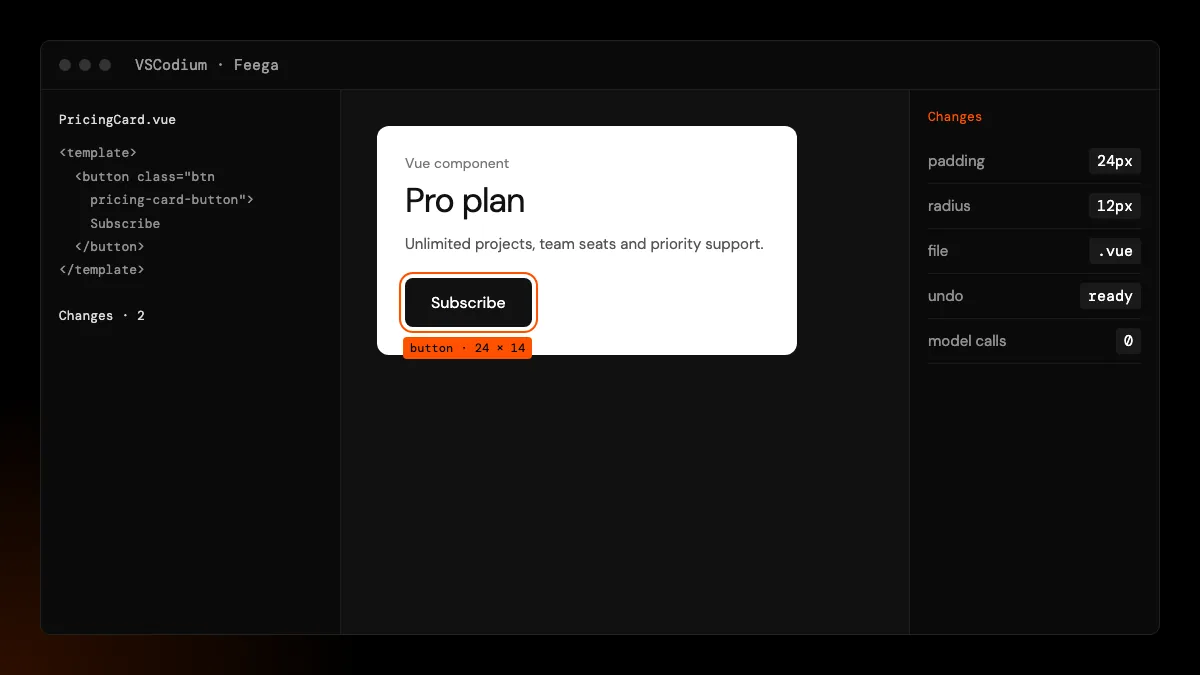
From there it is the same editor as in VS Code. Click an element to select it, use the breadcrumb and the layers tree to move around, and change size, spacing, layout, type, colour, borders, radius and shadows in the right bar. Switch the preview between desktop, tablet and phone widths. Each edit is written to the file and line that rendered the element, listed in Changes, and undoable as long as nobody changed the file since.
what gets written
Tailwind projects get utility classes in the element's class string, using your theme tokens when they match. Svelte and Vue components without Tailwind get a rule in their <style> block. React and Next.js components without Tailwind get a CSS module next to the component. Literal text is edited in place. Text from variables and class names built by functions are left alone, and Feega tells you why with the file and line. The details are on the framework pages: React, Next.js, SvelteKit, Vue and Tailwind.
updates and versions
VSCodium checks Open VSX for extension updates the same way VS Code checks its marketplace, so Feega updates itself unless you have turned auto-update off. To stay on a version, use "Install Specific Version" from the extension's menu in the Extensions view and turn off auto-update for Feega. The download page and the changelog list the current version; at the time of writing it is 0.2.2.
Because the code is open, you can also build the extension yourself from the GitHub repository and install the resulting .vsix. That is the route for teams that only allow extensions they have built and reviewed in house. The build produces the same extension that we publish to Open VSX and the Visual Studio Marketplace.
known limits
Open VSX gets Feega releases when we publish to it. If a version listed on the download page isn't in VSCodium yet, the .vsix on Open VSX is the fallback. We have not tested VSCodium's remote options. Click-to-source is verified on React and Vue with Vite, SvelteKit and Next.js; other frameworks start but are not something we promise yet.
If you'd rather not install anything in the editor, npx feega in the project folder opens the same editor in a browser tab.
how we checked
We make Feega, so this is our own account. On 19 November 2026 we checked the Feega 0.2.2 listing on Open VSX, read VSCodium's documentation on its extension registry, and read Feega's manifest for its engine version and its telemetry setting, whose description says the counts are off whenever the editor's telemetry is off. We did not test VSCodium remote workspaces.
Something wrong or out of date? Write to hi@feega.app.
try it in 2 minutes
- In VSCodium, open Extensions, search for Feega and install it, or install the .vsix from Open VSX.
- Open your project and run "Feega: Open from current workspace".
- Click an element and change it in the right bar.
- Review the change in Changes, then keep it or undo it.
mistakes people make
Looking for Feega on the Microsoft Marketplace from VSCodium. VSCodium uses Open VSX. Search from inside the editor or on open-vsx.org.
Assuming visual editors need a cloud account. Feega runs locally with no account and no model calls.
Leaving the telemetry question unanswered. Set feegaInspect.telemetry to false if you want it off whatever the editor says.
Opening the wrong folder in a monorepo. Right-click the app folder and choose "Design this folder with Feega".
questions
Does Feega work in VSCodium?
Yes. It is published on Open VSX, VSCodium's default registry, and uses only the standard extension API.
Does Feega send data?
Only anonymous usage counts, never code or paths, and they are off when the editor's telemetry is off.
Can I install it offline?
Yes. Download the .vsix from Open VSX and install it from file.
What licence is Feega under?
Apache-2.0. The source is on GitHub.
sources
- Feega on Open VSX, checked 19 november 2026
- Feega source code on GitHub (Apache-2.0), checked 19 november 2026
- Feega docs: the inspect extension, checked 19 november 2026
- VSCodium documentation: extensions and Open VSX, checked 19 november 2026
- VSCodium home page, checked 19 november 2026
- Open VSX: about the registry, checked 19 november 2026