feega
available on macOS Windows Linux

click, edit, ship the diff. inside Cursor, on code you own.

Framer lists Cursor among the agents that can update a Framer project. With the page in your repo, Cursor and Feega share a window instead: the agent pane next to the Properties bar, on your own files.

support with a coffee

  • free, forever
  • every edit a diff
  • no AI, no tokens
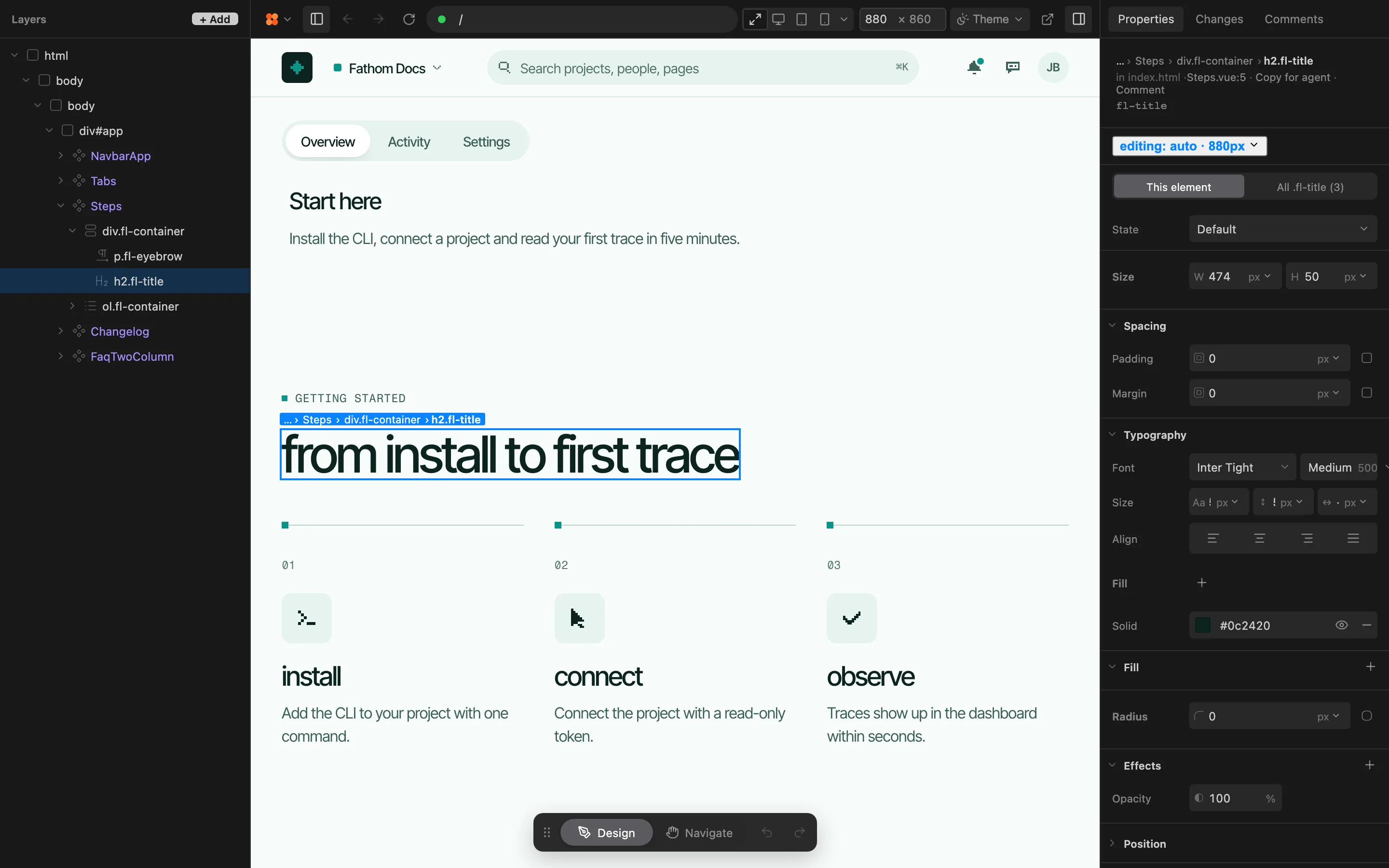
The Feega editor on a Vue project: the Layers tree, a documentation site with its heading selected, and the Properties bar showing Steps.vue under the selection

works with

or any Vite app

Framer and Feega with Cursor, side by side

aspectFramerFeega with Cursor
where the code livesIn a Framer project, published to Framer hostingIn your workspace, the one Cursor already has open
costFree $0, Basic $10, Pro $30 a month (checked 22 November 2026)Free, open source under Apache-2.0, no account. Cursor stays on your own Cursor plan
export and gitCode export not described on the pages we readYour git, with agent checkpoints. Feega writes files and never commits
visual editingA canvas in FramerThe Properties bar on your own running page
where it runsCloud editor and hostingAn extension installed from Open VSX in Cursor, or npx feega in a terminal

Keep Framer when the site belongs to designers and ships on its own schedule.

checked 22 November 2026 read the full comparison →

why Cursor users pick Feega over Framer

  1. 01

    Cursor edits your repo, not a Framer project

    Framer’s Cursor integration drives a Framer project. Pointed at your repo, the same agent searches files, edits them, runs shell commands, checks visual changes in a browser and restores checkpoints. That is the whole build loop without a second home for the page.

  2. 02

    design mode for words, Feega for numbers

    Cursor’s Design Mode sends your note, the element’s selector, size and key styles, and a screenshot to the agent. For a request like making the hero calmer that works well. For a padding you already know, click the element in Feega and type it.

  3. 03

    know what you give up

    Framer lists a CMS, staging, branching, localization and A/B testing as an add-on on its pricing page. A page in your repo has none of that built in. If your marketing team publishes every week from a canvas, stay on Framer.

click any element of your running app, design it like in Figma, and the change lands in your code. in VS Code, Cursor and Windsurf. free, no AI, with diffs.

VS Code · Cursor · Windsurf

design in your codebase

click any element of your running app and edit it like in Figma. the change is written to your code. no AI, no tokens, every edit a diff. free.

  1. run your app

    open it in your editor as usual.

  2. click and edit

    spacing, colour, type. like in Figma.

  3. review the diff

    written to your code, Tailwind or plain CSS.

questions from this switch

why use Feega in Cursor instead of Framer?

because the page already lives in your repo, or should. Feega edits the real file behind each element, so there is no second project to keep in step with the code Cursor writes.

does Feega replace the Cursor agent?

no. the agent writes structure, Feega sets values. both write to the same file, and the agent sees your change the next time it reads it. check each edit in changes.

should i delete my Framer site?

not before the repo page matches it. keep both live until the domain switch, and treat the move as a rebuild, since the Framer pages we read do not describe a code export.

which editors and terminals does Feega run in?

VS Code, Cursor, Windsurf and VSCodium, or any terminal with npx feega, on macOS, Windows and Linux. Cursor installs it from open VSX.

what does it cost?

nothing for the extension: it is free, open source and needs no account. Feega Cloud, with GitHub sync, collaboration, sections and templates, is coming soon.

the Feega extension is free

  • €0, forever
  • every edit a diff
  • no AI, no tokens
free sections and UI templates for Svelte, React, Vue and Astro →

the extension is free. Feega Cloud is coming soon.

Feega extension

click an element of your running app, edit it, ship the diff.

free forever

download for free

no account, no card, no AI.

  • VS Code, Cursor, Windsurf and VSCodium
  • React, Next.js, SvelteKit, Vue, Nuxt, React Router, Astro and Vite
  • Tailwind or plain CSS
  • every change written to your code, with a diff
  • open source, Apache-2.0

Feega Cloud

for teams that design in the same codebase.

€15 / editor / month

follow on github

or €12 a month billed annually, €144 a year. viewers are free. coming soon. star the repo to hear first.

  • GitHub sync
  • collaboration
  • sections and templates
  • all pro templates

the free library is already open: free templates

questions

what is Feega?

A free tool that runs as a VS Code extension, or in your browser with npx feega. click any element of your running app, edit it like in Figma, and the change is written to your code. no AI, no tokens, every edit shown as a diff. the code is on GitHub.

can i use Feega for free?

yes. the Feega extension is free, with no account and no AI. Feega Cloud, with GitHub sync, collaboration, sections and templates, is coming soon.

which editors and frameworks does it support?

VS Code, Cursor, Windsurf and VSCodium, or any terminal with npx feega. React, Next.js, SvelteKit, Vue, Nuxt, React Router, Astro and Vite, styled with Tailwind or plain CSS.

does it need an AI agent?

no. Feega works without agents. there are no models and no tokens. your edits are written to your code deterministically, and you review every change as a diff.

what is Feega Cloud?

coming soon: GitHub sync, collaboration, sections and templates. the extension stays free.

who owns my work, and is it used to train AI?

you keep your content; we never train AI on it. details are in our terms and privacy policy.

see full pricing →

start designing in your code

support with a coffee

  • free, forever
  • every edit a diff
  • no AI, no tokens