Framer alternatives for sites built in code
By Andrea Buttarelli, founder of Feega · checked 2026-11-22 · how we checked
Keep Framer if designers own your marketing site and nobody needs it in git. It is a polished canvas that publishes and hosts for you. This page is for people whose landing page already lives in a repo, often written with a coding agent.
Framer and Feega at a glance
| Framer | Feega | |
|---|---|---|
| Where the page lives | In a Framer project, hosted by Framer | In your repo, hosted wherever you host |
| Source files | No code export or git sync on the pages we read | Your own files, edited in place |
| Coding agents | Connect through MCP or a local CLI setup | Read the same files Feega writes |
| Free plan | $0, 500 AI credits a month, a Framer domain | Free, Apache-2.0, no limits |
| Paid plans | Basic $10 a month, Pro $30 a month | None |
| Uses AI | Yes, agents spend credits | No |
Framer, a coding agent and Feega side by side
| Framer | A coding agent in your repo | Feega | |
|---|---|---|---|
| Where the code lives | In a Framer project, hosted by Framer (Framer help: publishing and hosting) | In your repo | In your repo |
| Pricing model | Free $0, Basic $10, Pro $30 a month, plus add-ons and AI credits (Framer pricing, 22 November 2026) | Your agent’s own plan | Free, Apache-2.0 |
| Export and git | Not stated on the pages we read | Plain git | Plain git; Feega never commits |
| Local or cloud | Cloud editor and hosting | Local terminal or editor | Local, no account |
| Agent access | External Agents through MCP or a local CLI (Framer developers) | Reads and writes your files | Shows the selected element’s source |
| Who it fits | Designers who publish themselves | Developers building pages | Developers adjusting pages by eye |
the page lives in Framer, not in your repo
On the pricing and help pages we read, Framer publishes your site to its own hosting and a domain you connect. None of those pages mentions exporting the site as code or syncing it with a git repository. If the page is a Framer project, that project is the source of truth.
That works well until the landing page belongs to your product. A hero that shares components, copy and tokens with the app is one more thing to keep in step once it lives somewhere else.
- Design in Framer
- Publish to Framer hosting
- Copy tokens by hand
- Repeat for each change
- Open the repo
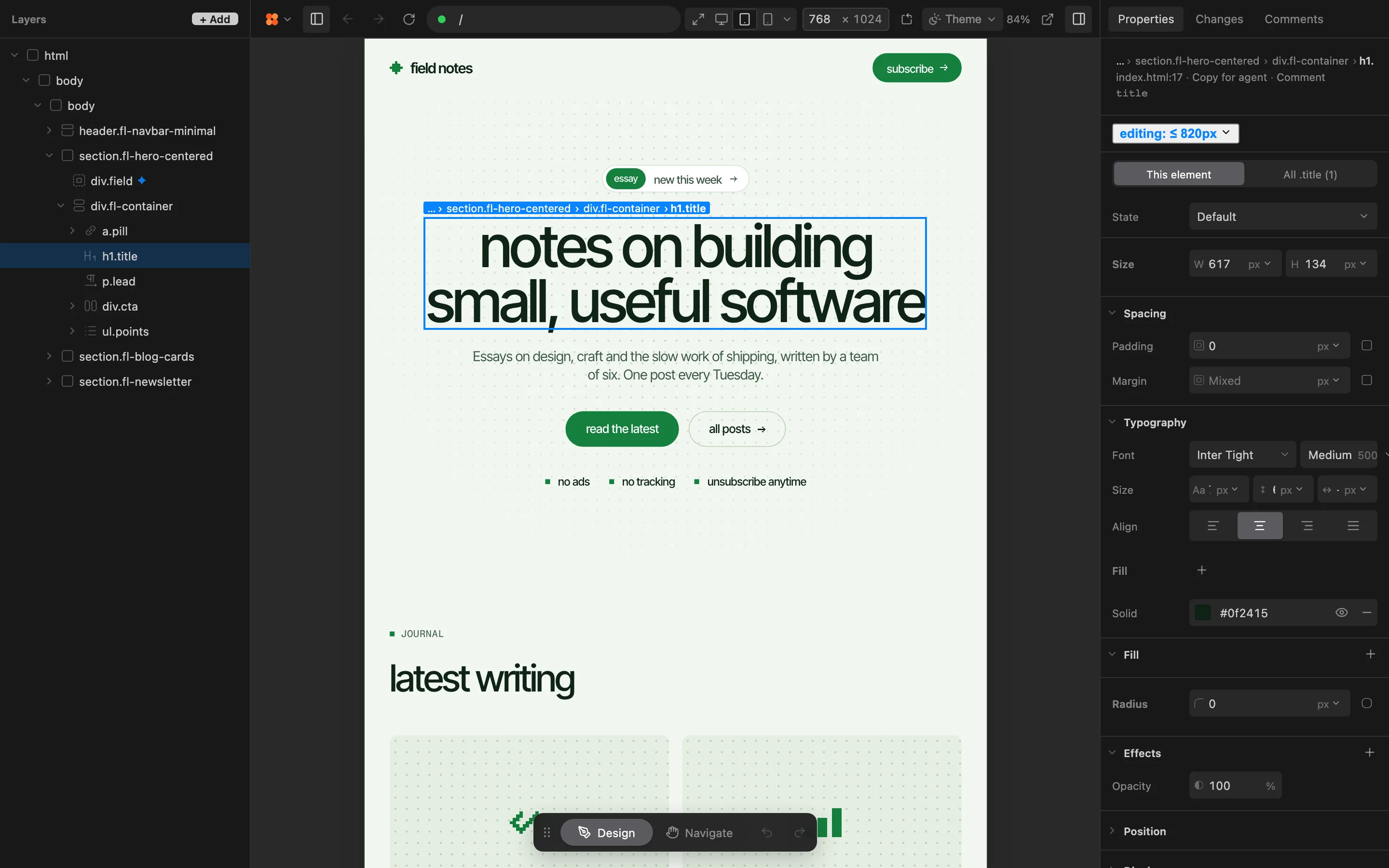
- Click the element
- Set the value
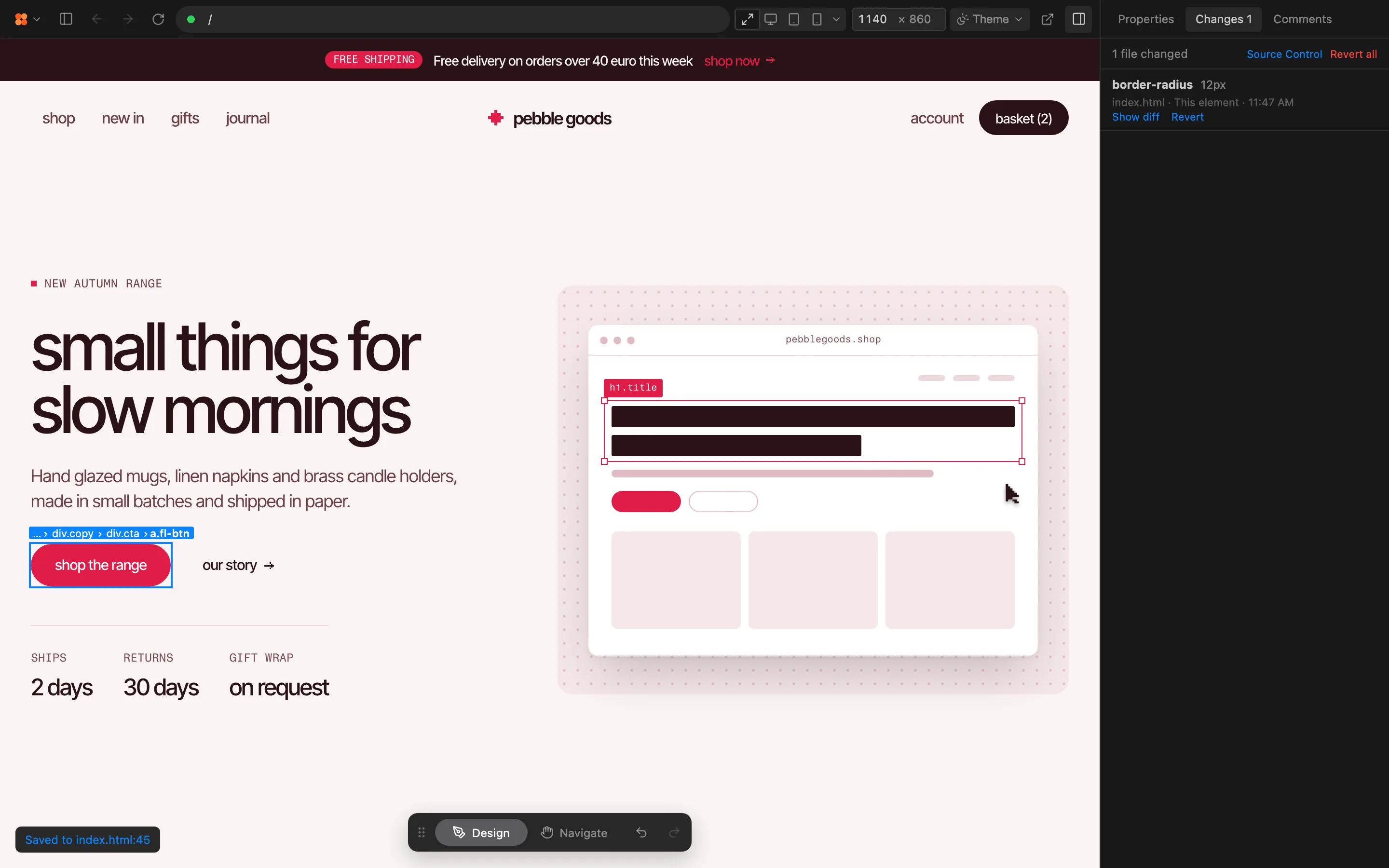
- Review the diff
an agent can reach Framer, or reach your files
Framer’s developer page lists External Agents, which connect Claude Code, Codex or Cursor to a Framer project, and its help centre describes the setup as MCP or a local CLI. The agent then changes the Framer project.
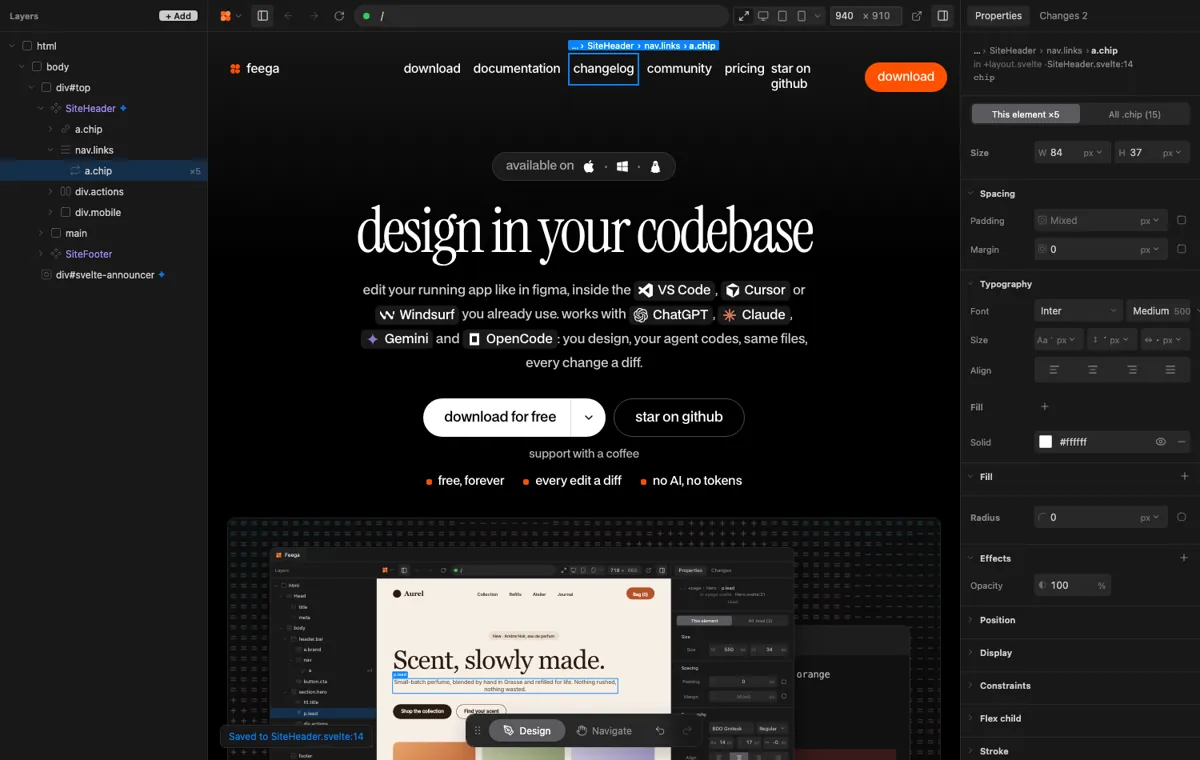
Feega leaves that choice out. The agent edits your source files as it always did, and you adjust the result by hand in the same files. Every change shows up as a diff in Changes and in git.
  <h2
-   className="text-2xl font-medium"
+   className="text-3xl font-semibold"
  >Pricing</h2>
limits and hosting come with the canvas
Framer’s plans cap pages, CMS collections and bandwidth. Basic includes 30 pages and 50 GB of bandwidth, Pro 150 pages and 100 GB, with paid steps above that, as listed on its pricing page.
A repo has no such caps, since you host it yourself. Whether that is a relief or a chore depends on whether you already run a deploy pipeline.
when to choose which
choose Framer if
- Designers own the site and publish it themselves.
- You want hosting, a CMS and analytics in one place.
- The page needs no shared code with your app.
choose Feega if
- The landing page lives in your repo next to the app.
- A coding agent writes it, and you want to adjust it by hand.
- You want every change as a diff, with no AI and no credits.
what each one costs
Framer has a free plan at $0 with 500 AI credits a month and a Framer domain. A custom domain needs Basic at $10 a month, and Pro is $30 a month, per its pricing page on 21 November 2026. Its agents spend AI credits, so heavy use can run past the monthly allowance.
Feega is free and open source under Apache-2.0, with no credits and no account. You still pay for hosting and for your coding agent, as you do today.
where Framer is the better choice
Framer is built for people who design in a canvas and publish without a developer. Its pricing page lists a global hosting network and a CMS on the paid plans, staging, branching with previews and redirects on Pro, and A/B testing as an add-on. A repo gives you none of that out of the box.
It also has a real developer story. Code Components are custom React components that render inside a Framer project, and Code Overrides modify layer properties. If your team wants a visual tool with some code in it, that is a good answer. If your team wants the code to be the source, it is the opposite arrangement.
using your coding agent with Feega instead
Framer’s developer page lists External Agents: Claude Code, Codex or Cursor connected to a Framer project, through MCP or a local CLI setup. The agent edits Framer. With Feega the agent edits your repo, and you adjust the result by hand. Pick the page for your agent:
- Framer alternative for Claude Code users, with the Feega skill and the plugin install.
- Framer alternative for OpenAI Codex, for the CLI, the IDE extension and the desktop app.
- Framer alternative for Cursor users, where Feega runs inside the same window as the agent.
If you only want a plain comparison with another tool that edits code, read the Lovable page for the prompt-to-app route.
what Feega edits and what it does not
Feega works on SvelteKit, React with Vite, Next.js and Vue projects that run from your own folder. It writes Tailwind classes, or rules in your CSS, at the line of the element you clicked. Class names built by an expression and text that comes from data are refused with a message that points at the line.
It has no CMS, no hosting and no publishing. If your landing page needs editors who never open a repo, a CMS in Framer is a better fit. Read AI site builder or your repo for how to weigh that.
other coding agents
Feega’s docs list Claude Code, Cursor, Copilot, Cline, Codex and Gemini CLI as agents that read the editor selection, so they see the element you picked. The skill install is documented for Claude Code, Cursor and Codex, and those three have their own pages above.
xAI’s Grok Build is a terminal coding agent, per its documentation. It is not on Feega’s tested list. Feega writes plain files, so Grok Build, or any agent that edits your folder, sees your changes through the files and through git. The selection sync and the skill are untested there, so this page does not promise them. The pattern stays the same across Framer: you design, the agent codes, and both edit the same repo. The agents page in the docs is the reference.
what Framer’s agent story means for your repo
Framer help: AI and agents says Framer MCP connects tools like Claude, Codex and Cursor to your projects, and describes a local CLI setup as an alternative. Framer developers lists the same three as External Agents, next to Code Components, which are custom React components with visual controls.
That is a real developer path inside Framer. It does not move the page out of Framer. If your landing page shares tokens and components with your app, you either copy them across by hand or you keep the page in the repo and edit it there. The Claude Code, Codex and Cursor pages cover each agent.
hosting, domains and the proxy option
Framer help: publishing and hosting says you publish to a Framer subdomain or a custom domain, and that you can self-host through a reverse proxy to control headers, authentication and delivery, with Vercel, Netlify, NGINX, Cloudflare and AWS named. The page does not mention exporting your site or files.
Framer pricing lists 1 GB of bandwidth on Free, 50 GB on Basic and 100 GB on Pro, with a custom domain from Basic. In a repo, hosting is yours. The Feega docs: use Feega with AI agents show how your agent and Feega share the files, and the Feega pricing page shows what Feega costs.
Try Feega in two minutes: run npx feega in your project folder, or install the extension.
Download Feega →where a repo is the wrong home for the page
If the people changing the page never open a repo, Framer is the better home. Feega has no CMS, no publishing and no hosting, and it only edits pages that already exist in code. For pages that do live in code, Properties and Changes give you a visual pass that ends as a diff.
The Lovable page compares a prompt-to-app builder, and the alternatives index has the rest. The quick start takes a few minutes. Every install route is on the download page.
The agent guide lists every command and what each agent can see.
Read the agent docs →try Feega on your landing page in five steps
- InstallAdd the Feega extension in VS Code, Cursor, Windsurf or VSCodium, or run npx feega in the project folder.
- Open the projectFeega starts your dev server and shows the running page next to your layers.
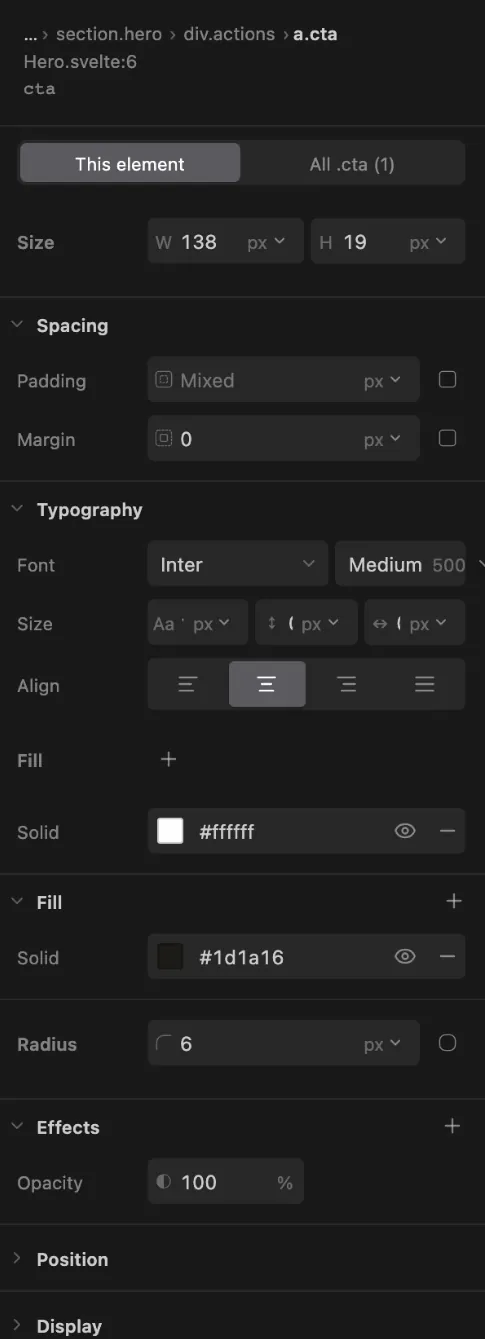
- Click and changePick an element, then set its padding, colour, type or layout in the Properties bar.
- Read the diffEvery edit appears in Changes as a diff against your source. Keep it, or undo it.
- Commit as usualFeega writes files and stops there. Review and commit with the tools you already use.
mistakes people make
Moving a site that designers still edit. If they publish from Framer every week, a repo takes that away from them. Move the page only when the repo is where the changes already happen.
Expecting an export button. The pages we read do not mention exporting the site as code. Check with Framer before you plan a migration.
Counting only the plan price. Pages, CMS collections and bandwidth have caps with paid steps above them, and agents spend AI credits.
questions
Is Framer free?
There is a free plan at $0. A custom domain starts at Basic, $10 a month. Pro is $30 a month.
Does Framer host the site?
Yes. It publishes to its own hosting, and it documents a reverse-proxy setup for putting the site behind another host.
Is Feega a Framer replacement?
Only for pages that live in code. It has no CMS or hosting.
Can Framer export my site as code?
The pricing and help pages we read do not say so. Its Code Components are custom React components inside a Framer project.
Can a coding agent edit a Framer site?
Framer lists External Agents for Claude Code, Codex and Cursor, connected through MCP or a local CLI setup.
Does Feega work with a site made in Framer?
No. Feega edits the source of an app running from your own folder.
Which frameworks does Feega support?
SvelteKit, React with Vite, Next.js and Vue. Each has limits, listed in the framework pages of the docs.
Is Feega a website builder?
No. It edits pages that already exist in code, and it has no hosting.
how we checked
We make Feega, so read our column with that in mind. We read each product's public pages on 2026-11-22 and compared what they offer, not finished work. Something wrong? Write to hi@feega.app.
- Framer pricing
- Framer developers
- Framer help: AI and agents
- Framer help: publishing and hosting
- Feega docs: use Feega with AI agents
Feega is not affiliated with, endorsed by, sponsored by or connected to any company or product named on this page. All product names, logos and trademarks belong to their respective owners and are used only to identify those products. Information comes from their public pages on the date shown and may have changed since; check the source before you decide. This page is not legal, financial or purchasing advice.
Keep Framer for a site designers own. Keep the repo for a page your product shares.
download for free →